Support Pincode
Purpose
Support Pincode adds a unique support PIN to each WHMCS client account, so your team has a simple way to confirm that the person contacting support has access to the client area.
When a client calls, opens a chat or asks for help with account-sensitive matters, your admin can ask for the support PIN, verify it inside WHMCS, and log the result. This makes client verification easier, more consistent and clearer for both your team and the client.
This addon is for WHMCS admins and support teams that want a practical extra account check without adding a complicated process.
Features
- Creates a unique numeric support PIN for eligible WHMCS clients.
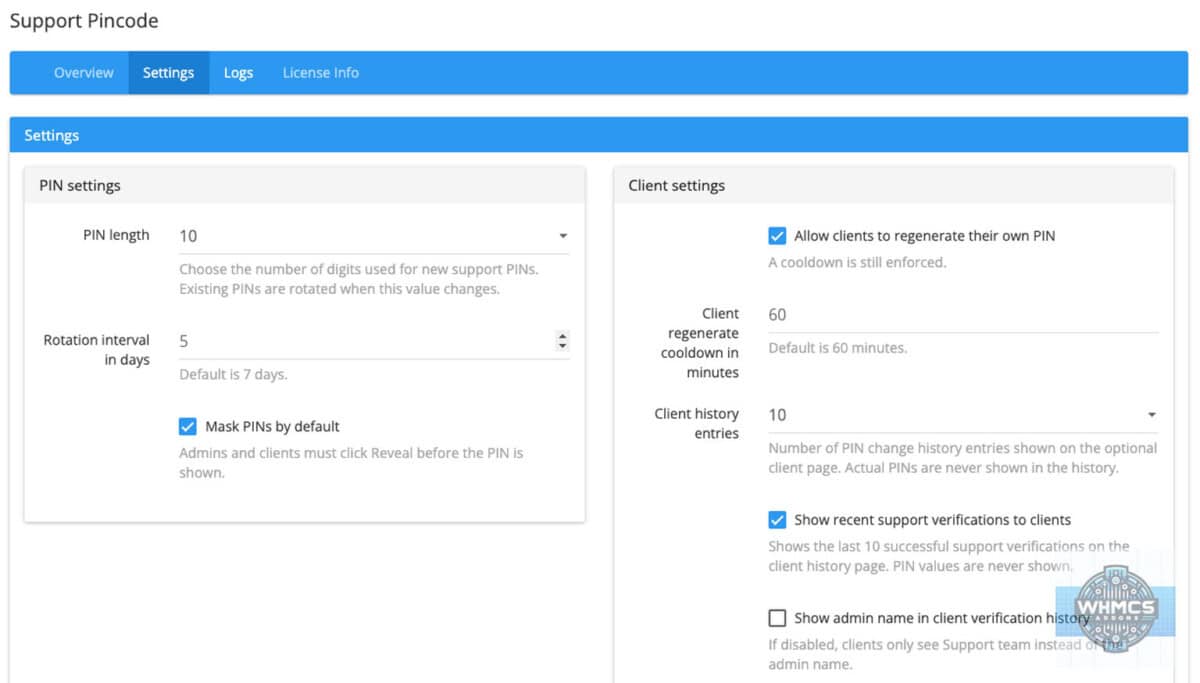
- PIN length can be set by the admin: 6, 8, 10, 12 or 14 digits.
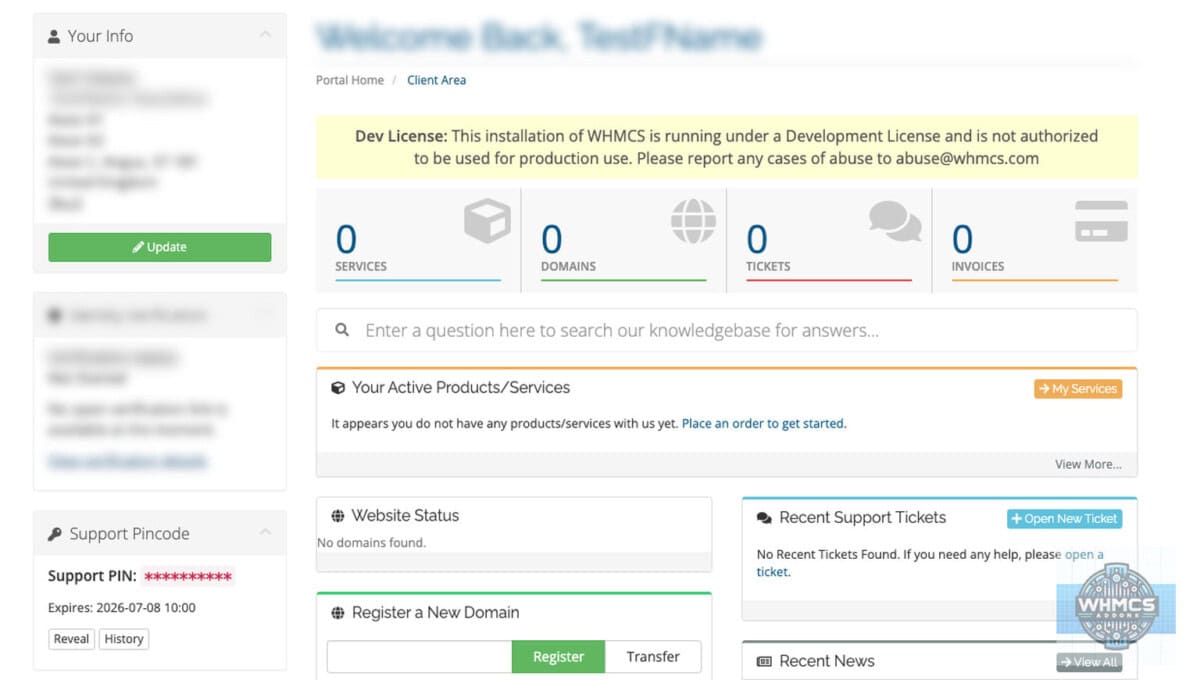
- PINs are hidden by default on both the admin side and client side.
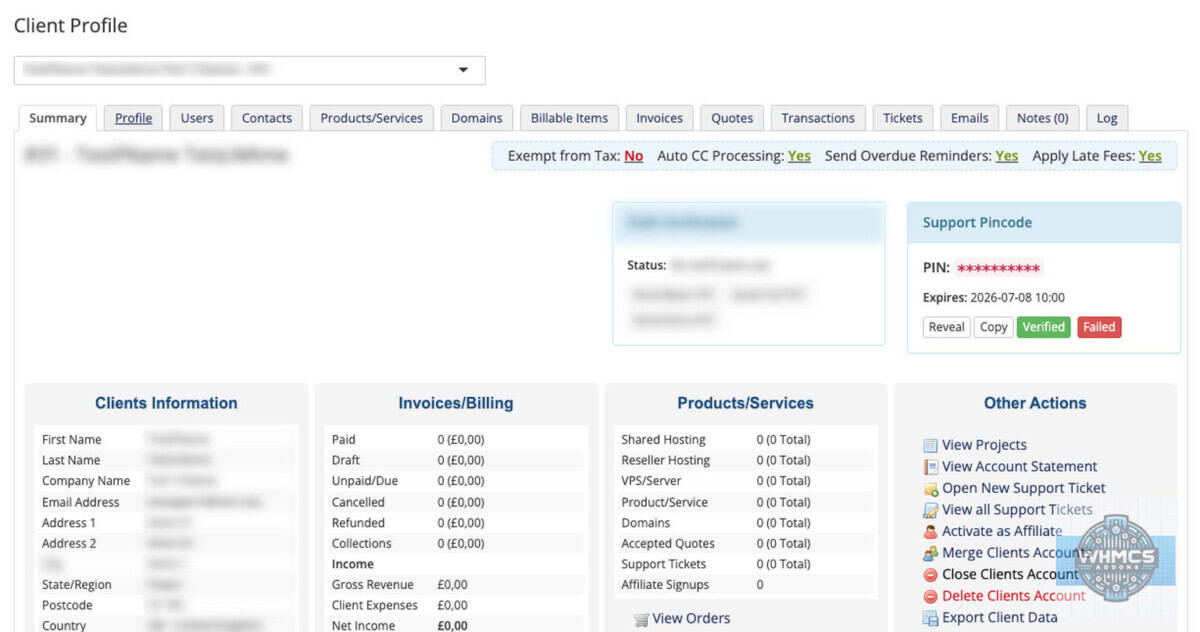
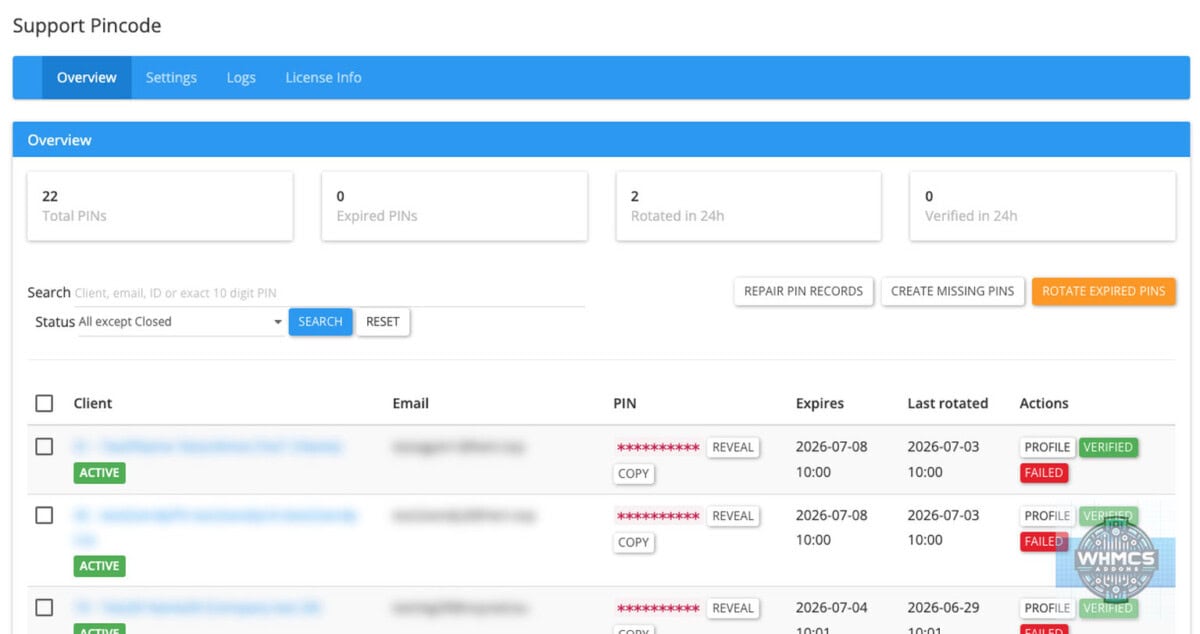
- Admins can reveal, copy, verify or fail a support PIN check from the WHMCS admin area.
- Adds a compact Support Pincode box to the WHMCS admin client profile page.
- Shows the support PIN in the client area sidebar, below the normal client information box.
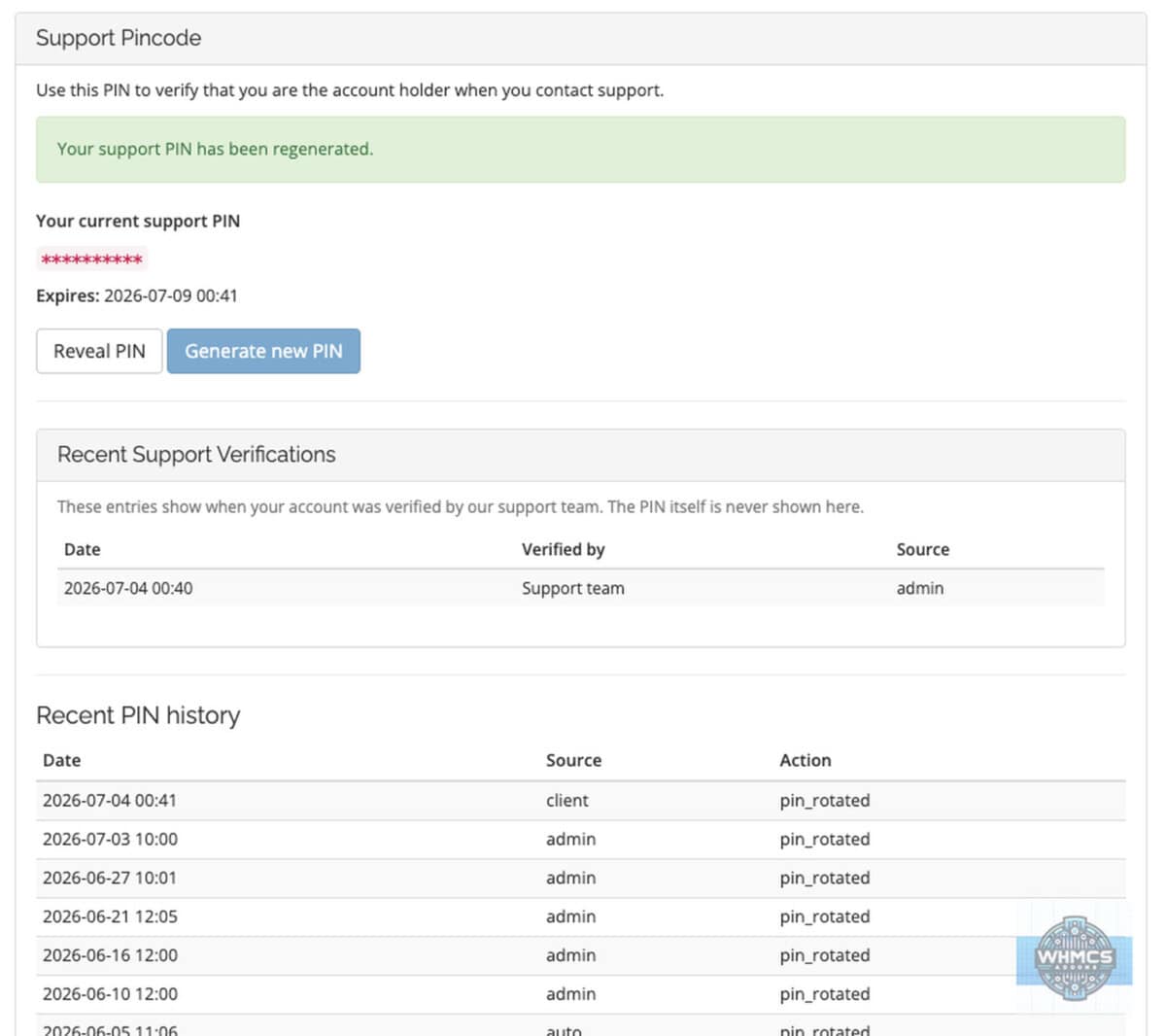
- Optional client Support Pincode page with recent verification history.
- Clients can see recent successful support verifications, without seeing old PIN values.
- Admins can search by client name, company, email, client ID or exact PIN.
- Overview hides Closed clients by default to keep the page cleaner and faster.
- Status filter for Active, Inactive, Closed, All except Closed, and All statuses.
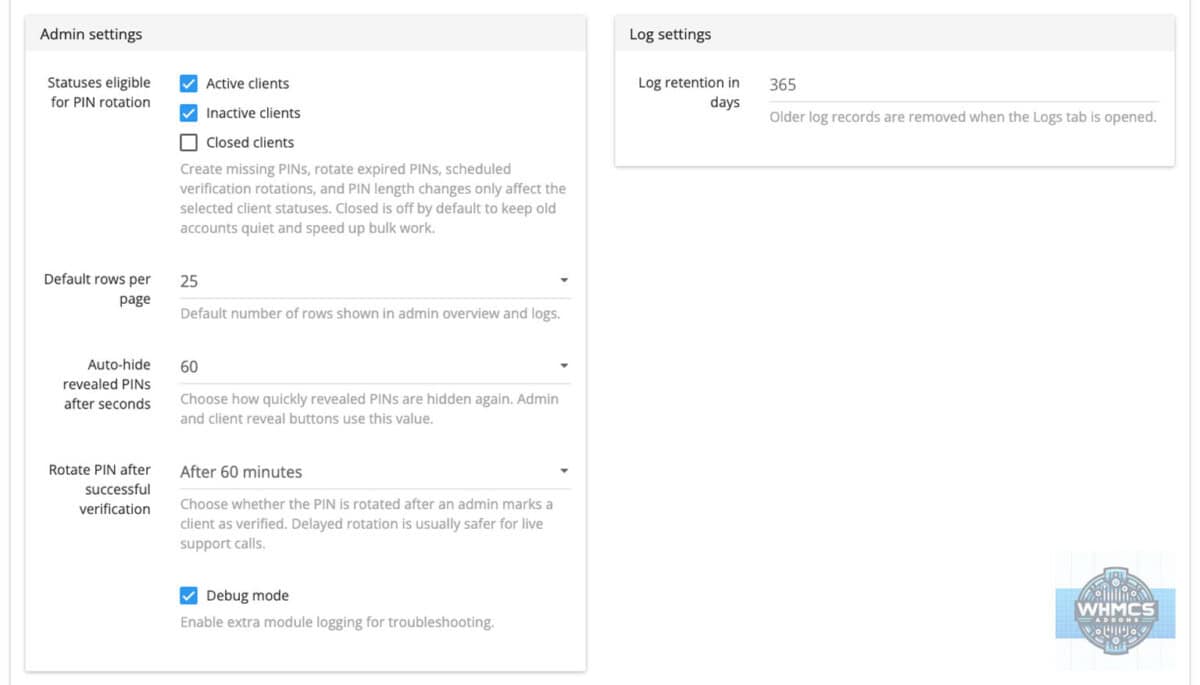
- Admin settings for which client statuses are eligible for PIN creation and rotation.
- Prevents duplicate active support PINs.
- Stores PIN data securely and uses a searchable hash for exact PIN lookup.
- Can rotate PINs automatically after a set period.
- Optional PIN rotation after successful verification.
- Verification rotation options: disabled, immediately, after 15 minutes, after 30 minutes or after 60 minutes.
- Client self-regeneration can be enabled or disabled.
- Client self-regeneration cooldown can be configured.
- Revealed PINs can auto-hide after a configurable time.
- Create missing PINs button for clients that do not yet have one.
- Rotate expired PINs button for manual maintenance.
- Repair PIN records button for missing, duplicate, wrong-length or old-format records.
- Daily cron support for automatic expired PIN rotation and scheduled rotation after verification.
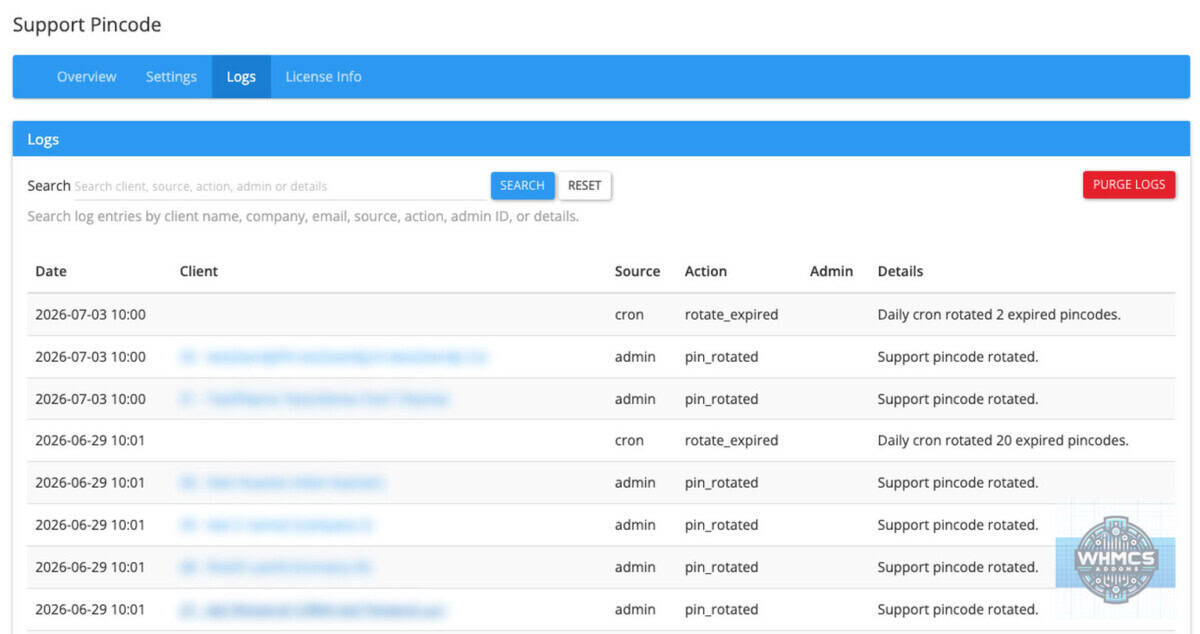
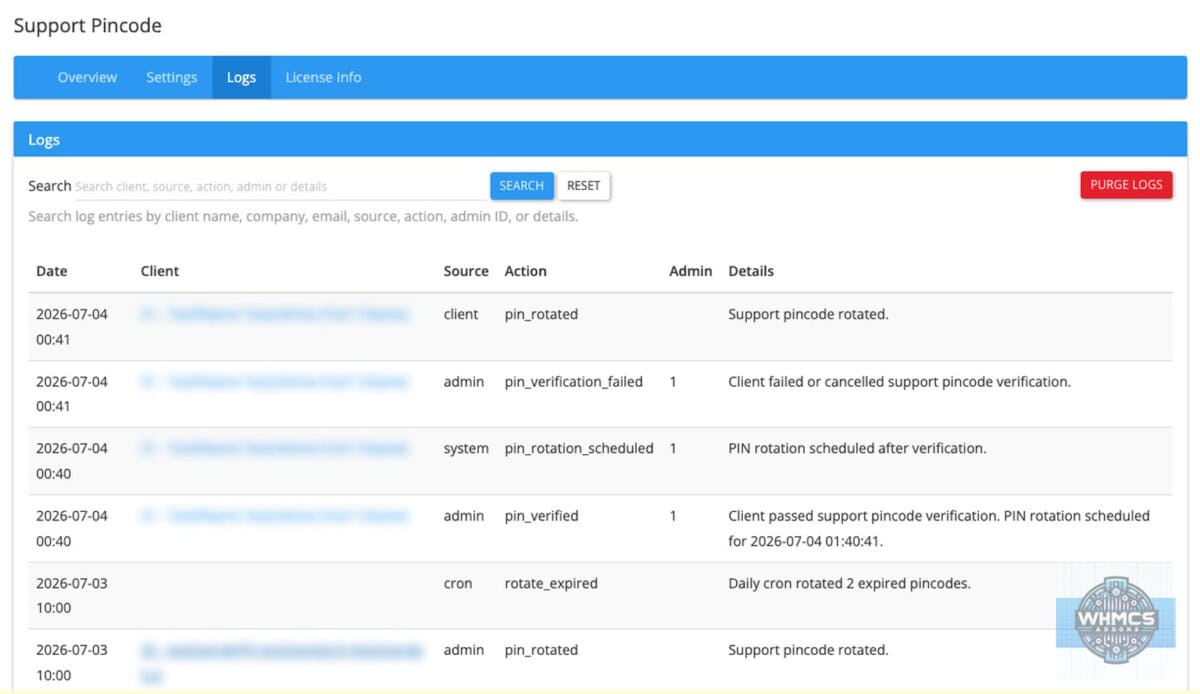
- Logs page with search, so admins can review verification, rotation, repair and maintenance actions.
- Log search can search by client, email, admin, source, action, date or details.
- Settings page for PIN behaviour, client display, admin behaviour, status eligibility and logs.
- Licence Info page with clear licence status details.
- Clean WHMCS admin layout using the agreed Paperstrap style.
- Separate licence file, so the licence key is not overwritten during addon updates.
- Does not modify WHMCS services, invoices, domains, tickets or client account data.
- Does not remove addon data on deactivation unless the admin explicitly enables the purge option.
Compatibility
Version compatibility:
WHMCS v9.x
WHMCS v8.x
WHMCS v7.x
Support Pincode is both admin-side and client-area related. It adds tools to the WHMCS admin area and displays the PIN to logged-in clients in the client area sidebar.
The addon is designed to work without template file edits. It uses WHMCS hooks and standard sidebar behaviour. Very heavily customised client templates may need a quick visual check.
Requirements
Template support:
No template changes are normally needed. The addon uses WHMCS client area sidebar hooks. If your client area template removes or heavily changes sidebars, test the display first.
Ioncube:
IonCube Loader version 13 or newer.
PHP version:
7.4, 8.1, 8.2, 8.3 or 8.4
Cron:
Recommended. Cron is used for automatic expired PIN rotation and scheduled PIN rotation after successful verification. Manual rotation tools are also available in the addon admin area.
Permissions:
WHMCS admin users need access to the Support Pincode addon module through the WHMCS Addon Modules access control settings.
Support
For support contact us at addonhelp@whmcs-addons.eu
Please include your WHMCS version, PHP version, addon version and a short description of what happened. If the issue relates to syncing, include the relevant log entry where possible.
We also develop WHMCS modules. WHMCS-addons.eu is not responsible for issues caused by servers that do not meet the minimum requirements or by customised WHMCS installations that change normal addon behaviour. Always create a backup before installing or upgrading any addon.
All our pre-made Addons are only sold through
resellers, like R the Company.