
Client Page Restrictor
Purpose
Some client-area pages should not be available to every client. A page might be intended only for a particular customer group, service tier or internal pilot programme.
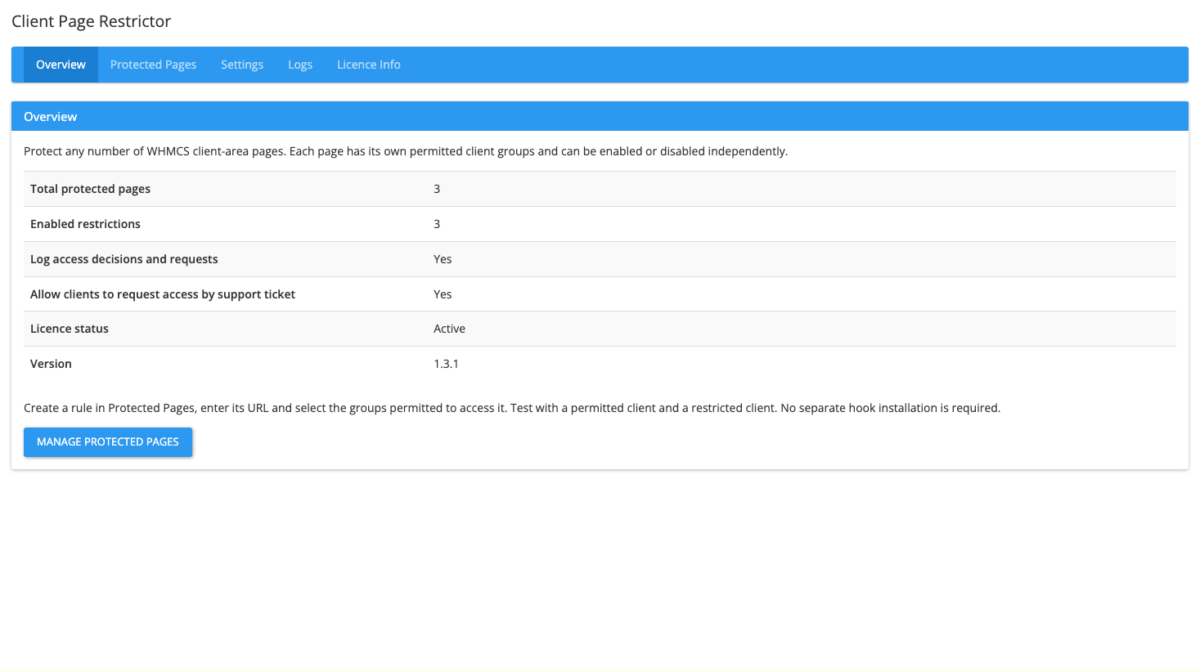
Client Page Restrictor lets you decide who can open each selected WHMCS client-area page, directly from the WHMCS administration area. Create a separate rule for each page, choose the groups that are allowed, and give restricted clients a useful, editable explanation instead of a confusing dead end.
Unlike a one-off restriction hook, you can manage multiple pages and different group permissions in one addon.
Features
Features
Different access rules for different pages
Add as many page rules as you need. Give each rule a name, a relative WHMCS client-area URL, its own allowed client groups and an enabled/disabled status. Edit or pause rules without removing them.
Clear client-group permissions
Use a searchable group selector to choose the groups allowed to open each page. You can also choose whether signed-in clients without a client group may enter. Visitors who are not signed in are denied access to protected pages.
A better access-denied experience
Restricted visitors see a page within the active WHMCS client theme. Set the default heading, explanation and button wording, then override the wording for individual protected pages. The optional protected-page name line is hidden by default and can be switched on with editable wording.
Optional request-access tickets
Let eligible signed-in clients request access through a support ticket. You can enable or disable this for each page and choose a different support department when needed. Duplicate requests from the same client for the same page are limited to one per 24 hours.
Searchable logs and practical controls
Search and filter audit entries by action, outcome, client, administrator, protected page and date range. Adjust retention by age or number of entries, control detailed logging, and preview matching records before confirming a purge.
Designed to fit WHMCS
Uses the existing client-area theme, a Paperstrap-based admin interface, in-addon hooks and language files for English, Dutch, German, French, Spanish and Arabic. Rules are stored in the WHMCS database. The addon also includes schema-repair handling for missing addon tables or columns.
Who it is for
WHMCS administrators who need different client groups to access different customer-facing module pages, feature previews, account tools or other eligible client-area pages.
Compatibility
– Designed for WHMCS 7.10, 8 and 9.
– Uses WHMCS client-area hooks and is suitable for PHP versions supported by the relevant WHMCS release, with PHP 7.2+ as the addon’s minimum code baseline.
– Access-denied page uses the active WHMCS client theme rather than requiring a particular custom client template.
– Support for individual server/WHMCS combinations should be checked in your environment. Live certification for every combination is not claimed.
Requirements
Template support:
No client-area template changes are needed. The addon works from the WHMCS admin area.
Ioncube:
IonCube Loader version 13 or newer.
PHP version:
7.4, 8.1, 8.2, 8.3 or 8.4
Cron:
WHMCS daily cron should be running. The addon uses the daily cron for clean-up tasks and logs each daily clean-up run.
External access:
The WHMCS installation must be able to contact the licensing service for licence checks.
Permissions:
The admin user must have access to the addon module and the relevant WHMCS support ticket admin permissions.
Support
For support contact us at addonhelp@whmcs-addons.eu
Please include your WHMCS version, PHP version, addon version and a short description of what happened. If the issue relates to syncing, include the relevant log entry where possible.
We also develop WHMCS modules. WHMCS-addons.eu is not responsible for issues caused by servers that do not meet the minimum requirements or by customised WHMCS installations that change normal addon behaviour. Always create a backup before installing or upgrading any addon.
All our pre-made Addons are only sold through
resellers, like R the Company.
